
How to Migrate from Wix to WordPress Without Losing SEO
A step-by-step look at how we move Wix sites to WordPress while keeping URLs, meta data and rankings intact.
Moving off a hosted website builder is one of the best things a growing business can do for its website, and one of the few decisions that can quietly damage your search rankings if it's done carelessly. The migration itself is straightforward; keeping Google happy while it happens is where the work is.
Here is the exact process we follow, in the order we follow it, so you can see what has to be true before the day you switch.
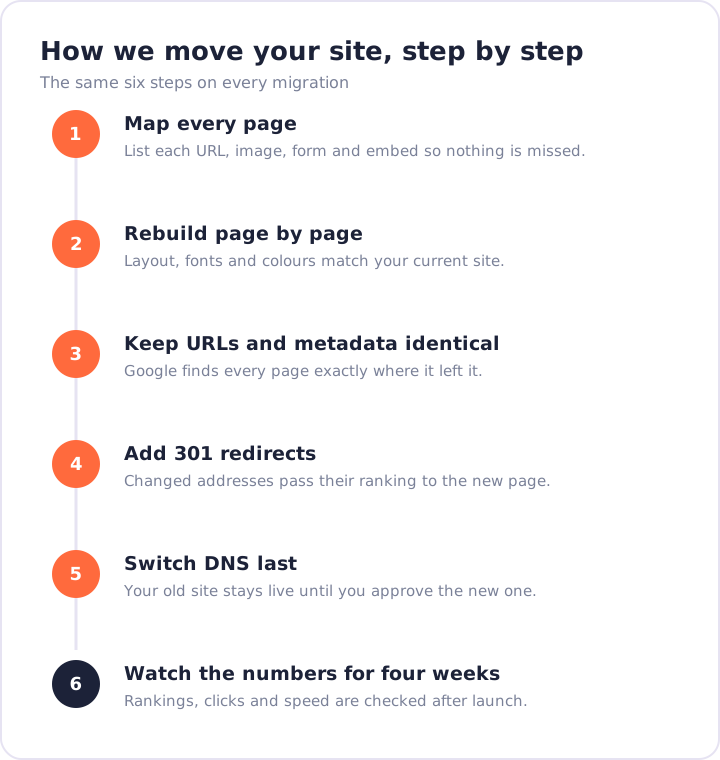
Start with a complete map of your current site
Before anything moves, we list every URL, image, download, form, menu item and third-party embed on your site. This map becomes the checklist for the build and, later, the redirect list. Miss a page here and you'll discover it after launch, which is the most expensive time to find it.
Rebuild the design page by page
We recreate each page in Elementor so the layout, spacing, fonts and colours match your current site. Automated converters usually come close, then drift: fonts substitute, images shift, widgets break. A hand rebuild takes a little longer and ends with a site that looks like you designed it, not like a plugin guessed.
Keep your URLs and metadata identical
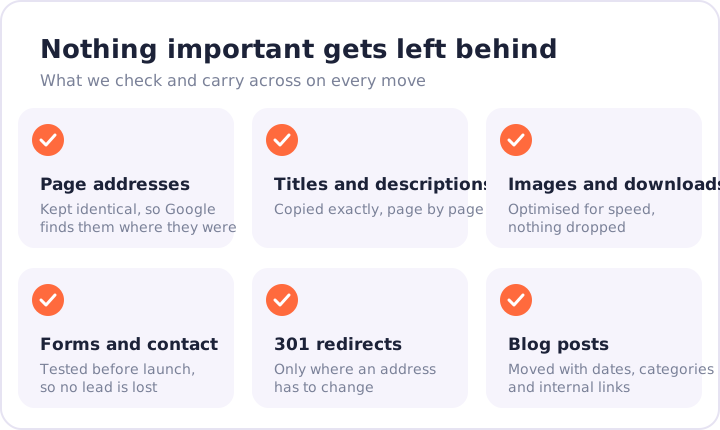
Your page addresses, title tags and meta descriptions move across exactly as they are. This is the single most important part of a migration for SEO, because it means Google finds your pages exactly where it left them.
Add 301 redirects wherever an address changes
Some URLs have to change, especially blog post links. When they do, we add a permanent redirect from the old address to the new one, so the ranking value of that page transfers instead of dying.
Point DNS only after you've approved the build
Your old site keeps running while we build. You review the new site on a private preview link, we make the changes you ask for, and only then do we switch your domain. During that switch, WordPress goes live in a few minutes rather than in a weekend.
Rule of thumb: if a search of your brand on Google shows the same pages, in the same order, a few weeks after the move, the migration worked.
Watch the numbers for four weeks
After launch we monitor rankings, impressions, click-through rates and Core Web Vitals. A small dip for a few days is normal while Google recrawls. Anything that hasn't recovered after four weeks gets investigated, and we fix it as part of your 180 days of free support.
Want us to do it for you?
We've moved more than 600 websites this way, with an average rating of 4.9 out of 5. Send us your link and we'll send a free, fixed-price quote within 24 hours.